
Tevpro insights
Building AI workflows with Cloudflare Agents
Cloudflare Agents workflow example: a durable, human-approved account brief
Cloudflare Agents is a good fit when an AI workflow belongs in a real-time product and needs durable state per user, account, or request. The practical unit is not a chat message. It is a persistent agent instance with a visible state machine, plus a Cloudflare Workflow for the long-running, retryable work.
The workflow boundary
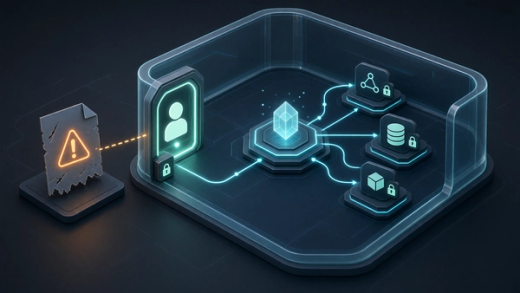
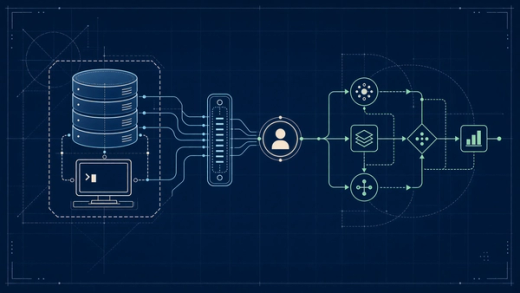
In this example, an AccountBriefAgent stores user-facing state and exposes a typed RPC method. An AccountBriefWorkflow performs the durable sequence: load the account, generate a draft, wait for approval, write the approved note, and report progress back to the agent. The split matters. The agent owns interactive state. The workflow owns retries, pauses, and long-running execution.
1. Define state the interface can render
import { Agent, callable } from "agents";

export type BriefState = {
  status: "idle" | "researching" | "awaiting_approval" | "saving" | "complete" | "failed";
  accountId?: string;
  draft?: string;
  error?: string;
};

export class AccountBriefAgent extends Agent<Env, BriefState> {
  initialState: BriefState = { status: "idle" };

  @callable()
  async requestBrief(accountId: string) {
    this.setState({ status: "researching", accountId });

    // Start AccountBriefWorkflow here with the agent instance and accountId.
    // The workflow reports each durable step back through reportProgress().
    return { accepted: true, accountId };
  }
}
2. Put the business sequence in a durable workflow
The Cloudflare Agents SDK provides AgentWorkflow for this pattern. Each step is named, persisted, and retried by the workflow runtime. The workflow can park at the approval step without holding an active request open.
import { AgentWorkflow } from "agents";
import { AccountBriefAgent } from "./account-brief-agent";

type Params = { accountId: string; requestedBy: string };

export class AccountBriefWorkflow extends AgentWorkflow<AccountBriefAgent, Params> {
  async run(event: { payload: Params }, step: any) {
    const account = await step.do("load account", async () => {
      const response = await fetch(`${this.env.CRM_API_URL}/accounts/${event.payload.accountId}`, {
        headers: { Authorization: `Bearer ${this.env.CRM_API_TOKEN}` },
      });
      if (!response.ok) throw new Error(`CRM lookup failed: ${response.status}`);
      return response.json();
    });

    const draft = await step.do("generate draft", async () => {
      const prompt = [
        "Write an account brief using only this CRM data.",
        "Include account context, risks, a recommended next step, and missing information.",
        "Do not invent facts.",
        JSON.stringify(account),
      ].join("\n");

      const result = await this.env.AI.run("@cf/meta/llama-3.3-70b-instruct-fp8-fast", {
        messages: [{ role: "user", content: prompt }],
      });
      return result.response;
    });

    await this.reportProgress({ step: "approval", status: "pending", draft });
    const approval = await this.waitForApproval(step, { timeout: "7 days" });

    await step.do("save approved note", async () => {
      const response = await fetch(`${this.env.CRM_API_URL}/accounts/${event.payload.accountId}/notes`, {
        method: "POST",
        headers: {
          Authorization: `Bearer ${this.env.CRM_API_TOKEN}`,
          "Content-Type": "application/json",
          "Idempotency-Key": `${event.payload.accountId}:${approval.id}`,
        },
        body: JSON.stringify({ body: draft, source: "account-brief-agent" }),
      });
      if (!response.ok) throw new Error(`CRM note failed: ${response.status}`);
    });

    await this.reportProgress({ step: "complete", status: "complete" });
  }
}
3. Bind the agent as a Durable Object
An Agent is a Durable Object, so the Worker configuration creates the binding and SQLite-backed class migration. The production app also needs the AI and CRM bindings used by the workflow.
{
  "name": "account-brief-agent",
  "main": "src/index.ts",
  "compatibility_date": "2026-06-11",
  "compatibility_flags": ["nodejs_compat"],
  "durable_objects": {
    "bindings": [
      { "name": "AccountBriefAgent", "class_name": "AccountBriefAgent" }
    ]
  },
  "migrations": [
    { "tag": "v1", "new_sqlite_classes": ["AccountBriefAgent"] }
  ]
}
4. Connect the interface to the same agent instance
Every user looking at the same account can connect to the same named agent instance. State updates are synchronized, so the UI can show researching, approval pending, completion, or failure without polling a separate status table.
import { useAgent } from "agents/react";
import type { AccountBriefAgent, BriefState } from "./account-brief-agent";

export function AccountBriefPanel({ accountId }: { accountId: string }) {
  const agent = useAgent<AccountBriefAgent, BriefState>({
    agent: "AccountBriefAgent",
    name: accountId,
  });

  return (
    <>
      <button onClick={() => agent.stub.requestBrief(accountId)}>Prepare brief</button>
      <p>Workflow status: {agent.state?.status ?? "connecting"}</p>
      {agent.state?.draft && <pre>{agent.state.draft}</pre>}
    </>
  );
}
What happens when this runs
The UI calls requestBrief on the named account agent. The agent changes state immediately so connected clients see the work begin. The durable workflow loads CRM data, generates the draft, and reports an approval-pending state. It then parks until a human responds. After approval, the save step executes with an idempotency key. If a step fails, the workflow runtime can retry the step without repeating completed steps.
Pros and cons
Cloudflare Agents is strong when an application already uses Workers and needs durable identity, real-time synchronization, WebSockets, scheduling, or one stateful agent per account or user. It also fits teams that want Cloudflare Workflows, Workers AI, Durable Objects, and edge deployment in one platform. The tradeoff is platform commitment and operational complexity. Durable Object names, migrations, concurrency, authorization, and workflow versioning are design decisions that deserve the same rigor as a database schema.
The decision test
Choose this approach if the product needs a live, stateful experience around the workflow. If the only requirement is to run a scheduled prompt and send an email, a normal worker plus a database may be simpler. Durable agents earn their complexity when identity, state, and interaction persist between requests.
Sources
Why work with us
Why Tevpro?
Whether you’re a startup with a bold product idea or an established company seeking a stronger delivery partner, Tevpro delivers results. Our expert consultants specialize in building secure, scalable applications that simplify operations and drive real ROI.